Social Network in 30 days : Day 2


Warning: Undefined array key "layout" in /home/bateeqjg/public_html/news/wp-content/plugins/wp-about-author/wp-about-author.php on line 94

Friday just past, so here’s an report.

Day 2 Report:
Finished 3/4 tasked that were scheduled yesterday. I only had around 4-5 hours of programming time after work but I think I got a lot done.
The site is now hosted on heroku.com at http://linksteach.me.

Feature List:
The goal of the site is now to create a reddit-like site for school. This idea seems more like a social bookmarking website, rather than a social network.
A social bookmarking site values the content of the links more than the user.
A social network is values the user more than the content.
Here’s a brief and general overview of the features

Views (Non-registered user) can;
– View Posted content
– Search/Browse/Filter for posted content

Registered Users can;
– Has the same abilities as a viewer
– Post content relating to school material
– Vote on other’s posted content
– Leave comments on posted content
– Report content
– Request new features and material

Moderators;
– Ban users
– CRUD user’s content

Admin;
– Has all priveleges
– Ban Users, Moderators
– CRUD any posted content

Milestones (Dates):
– Oct 24, 2013 – Start of 30 day challenge
– Nov 5th – Alpha release
– Nov 7th – Collect feedback from at least 5 users and find out where to improve
– Nov 14 – Beta release
– Nov 15 – Collect feedback from at least 5 users and find out where to improve
– Nov 23 – Final Release, 30 day challenge complete.

HomePage:
Setting up Golang with Heroku was quick and simple after reading this guide. Getting Started with Go on Heroku by Mark McGranaghan. I decided on sticking with Heroku, instead of Google App Engine because using Google App Engine for hosting requires to many architectural changes.

Here’s the result.
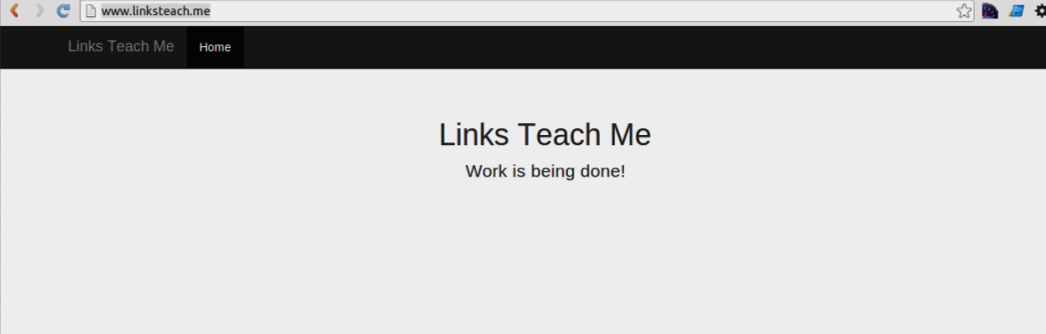
On the homepage I hosted some of the content on Amazon S3 storage but converting all the URLs to point to it is a HUGE hassle. So I don’t think I’m going to be using them until the traffic demands for a CDN.
A major problem I had with Heroku was finding out how to point to the correct filepath for static content on the file system. The answer is simple. The base directory is where `.git` is hosted.

Login:
I got stuck on this part because I needed to figure out how to properly make a nonce (one time token).
https://github.com/LarryBattle/nonce-golang
More information here about nonce. Chapter 4.4 of “Building Web Applications with Golang”

Goals for tomorrow:
– Create mock up screen shots
– Create a login page
– Create a DB connection test page.
– Update https://github.com/LarryBattle/nonce-golang to include demo and documention
– Create a sample unit test
– Create a profile setup page.

Done with day 2

Larry Battle

Larry Battle

I love to program, and discover new tech. Check out my <a href="http://stackoverflow.com/users/527776/larry-battle">stackoverflow</a> and <a href="https://github.com/LarryBattle">github</a> accounts.

More Posts - Website

Follow Me:Add me on XAdd me on LinkedInAdd me on YouTube

Social Network in 30 days: Day 1


Warning: Undefined array key "layout" in /home/bateeqjg/public_html/news/wp-content/plugins/wp-about-author/wp-about-author.php on line 94

Hey guys and gals.
You know, I haven’t built anything in a while.
So today, I decided to challenge myself to build a social network within 30 days.
For the next 30 days, I’ll provide short blog post about my process and lessons learned.

Day 1:

Project Overview:
After some thought I decided to go with creating a site similar to Stackoverflow.com and chegg.com for online learning targeted for college students. Students post questions and peers help answer their questions about a course.

Tech:
Hosting: Heroku (Cloud Hosting)
Server Side: Google Go 1.x
Database: Redis 2.x(Caching), MySQL 5.x
Front-end: jQuery 2.x, Bootstrap.js 3.x and Angular.js 1.x

Budget:
cost < $1,000 Team Right now, just me. Might out-source a few parts. Here's my resume if you're curious about my background. http://www.indeed.com/me/larry_battle Also, I'm following this guide for learning Google Go, https://github.com/Unknwon/build-web-application-with-golang_EN Risks - Finding the time to work on this is going to hard. Time management is going to be crucial. - Learning curve. Expect for jQuery, I'm not an expert in any of the technologies I'm using. That's it for day 1. Plans for tomorrow: - Developer a feature list - Plan out milestones. - Create a homepage. - Create a login page.

Larry Battle

Larry Battle

I love to program, and discover new tech. Check out my <a href="http://stackoverflow.com/users/527776/larry-battle">stackoverflow</a> and <a href="https://github.com/LarryBattle">github</a> accounts.

More Posts - Website

Follow Me:Add me on XAdd me on LinkedInAdd me on YouTube

Code of the day – FizzBuzz in Javascript


Warning: WP_Syntax::substituteToken(): Argument #1 ($match) must be passed by reference, value given in /home/bateeqjg/public_html/news/wp-content/plugins/wp-syntax/wp-syntax.php on line 380

Warning: WP_Syntax::substituteToken(): Argument #1 ($match) must be passed by reference, value given in /home/bateeqjg/public_html/news/wp-content/plugins/wp-syntax/wp-syntax.php on line 380

Warning: WP_Syntax::substituteToken(): Argument #1 ($match) must be passed by reference, value given in /home/bateeqjg/public_html/news/wp-content/plugins/wp-syntax/wp-syntax.php on line 380

Warning: Undefined array key "layout" in /home/bateeqjg/public_html/news/wp-content/plugins/wp-about-author/wp-about-author.php on line 94

FizzBuzz Test

Write a program that prints the numbers from 1 to 100. But for multiples of three print “Fizz” instead of the number and for the multiples of five print “Buzz”. For numbers which are multiples of both three and five print “FizzBuzz”.

c2.com

Here’s my solution:
Test Driven Development Approach

// TDD Readable
var getFizzBuzzStatements = function (len) {
	var arr = [],
	str = "";
	for (var i = 1; i <= len; i++) {
		str = (i % 3) ? "" : "Fizz";
		str += (i % 5) ? "" : "Buzz";
		arr.push(str||i);
	}
	return arr;
};
var fizzBuzz = function () {
	console.log(getFizzBuzzStatements(100).join("\n"));
};
fizzBuzz();

Alternative: One liner

// One liner
for (i = 1; i <= 100; i++)
	console.log((((i % 3) ? "" : "Fizz") + (i % 5 ? "" : "Buzz")||i) + "\n")

Alternative: Switches

var getFizzBuzzStatements = function (len) {
	var j,
	arr = [];
	for (var i = 1; i <= len; i++) {
		switch (i % 15) {
		case 0:
			arr.push("FizzBuzz");
			break;
		case 3:	case 6:	case 9:	case 12:
			arr.push("Fizz");
			break;
		case 5:	case 10:
			arr.push("Buzz");
			break;
		default:
			arr.push(i);
		}
	}
	return arr;
};
var fizzBuzz = function () {
	console.log(getFizzBuzzStatements(100).join("\n"));
};

Demo

Larry Battle

Larry Battle

I love to program, and discover new tech. Check out my <a href="http://stackoverflow.com/users/527776/larry-battle">stackoverflow</a> and <a href="https://github.com/LarryBattle">github</a> accounts.

More Posts - Website

Follow Me:Add me on XAdd me on LinkedInAdd me on YouTube

4 Notepad++ Plugins for Javascript Developers


Warning: Undefined array key "layout" in /home/bateeqjg/public_html/news/wp-content/plugins/wp-about-author/wp-about-author.php on line 94

Editor’s Note: This post is from 2012. The hottest editors in 2018 are vscode and editor.

Here are some Notepad++ plugins for JavaScript Developers that I found useful.

Tip:
You can install all the plugins using Notepad++ Plugins Manager located in the “Plugins” Menu.

  1. JSLint


    Description:
    JSLint is a static code analysis tool used in software development for checking if JavaScript source code complies with coding rules.


    Tip:
    If jslint turns out to be strict for you, then I recommend that you try jshint.com.
    Does it make any sense to use JSLint and follow it?

  2. JSMin


    Description:
    JSMin is a filter which removes comments and unnecessary whitespace from JavaScript files.


    Tip:
    The great thing about this plugin is that it formats and minimizes.
    Link:
    JavaScript Compressor and Comparison Utility.

  3. JSON Viewer


    Description:
    A JSON viewer plugin for Notepad++. Displays the selected JSON string in a tree view.


    Tip:
    If you get “Could not parse!!” error message, then reformat your code with JSON.stringify().

  4. RegEx Helper


    Description:
    A Notepad++ plugin that allows users to develop regular expressions and test them against their open documents.

Larry Battle

Larry Battle

I love to program, and discover new tech. Check out my <a href="http://stackoverflow.com/users/527776/larry-battle">stackoverflow</a> and <a href="https://github.com/LarryBattle">github</a> accounts.

More Posts - Website

Follow Me:Add me on XAdd me on LinkedInAdd me on YouTube