Warning: Undefined array key "layout" in /home/bateeqjg/public_html/news/wp-content/plugins/wp-about-author/wp-about-author.php on line 94
Hey Everybody,
I made a video for one of my old post, What are Sig Figs? Tutorial
Enjoy. 🙂

Hey Everybody,
I made a video for one of my old post, What are Sig Figs? Tutorial
Enjoy. 🙂

Feeling the urge to learn something new, I decided to discover what it takes to produce a video and host it on Youtube.com.
After brain storming some ideas and watching videos to see what was out there, I finally decided upon making a video tutorial on how improve one’s typing speed.
Here’s the result.
“Learn How to Type Faster in Step 3 ” is my first video that I ever made and I learned a lot from the whole process. It took about half a day to complete but that was due to the fact that I had to research what software to use. A few rules that I found along the way are to are
For those wondering, I only used free-ware software for this project. Here’s a list of what I used.
Hey everybody,
I would like to share a book review that I wrote on amazon.com.
Book: “Computers Ltd.: What They Really Can’t Do (Popular Science)
Author: David Harel
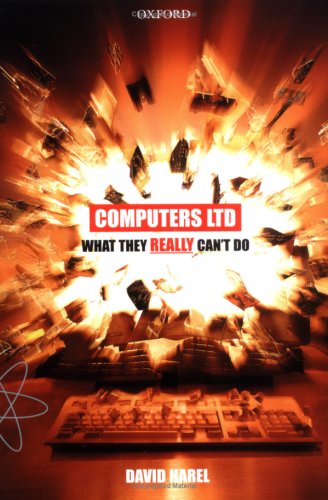
“This book sets the record straight. Computers can’t fix all of the world problems because they’re limited by time and space.
The author starts off by defining algorithms and how computer programs work. He’s then explores common problems in computer science using a fair amount of algebra and graphs, like NP complete problems, the travelling salesman problem, the Turing test, tower of Hanoi, and etc.
Restraining from being a complete pessimist, discussions mainly addressing Cryptography are included. Cryptography shows how computational complexity can be used for the greater good, as it’s nearly impossible to break the encryption within a reasonable amount of time for any data encoded in RSA.
Lastly, the author ends the book with his take on hot areas in computing, such as Quantum Computers, Artificial Intelligence and evolutionary (generic) programming.
Overall, I enjoyed this pocket size book and recommend it for those interested in expanding their knowledge in Computer Science.”
-Larry Battle

Four days after a powerful earthquake-triggered tsunami hit the Japan’s east coast, I found a this on Google, Google Translate for Android Phones.
A few years back, I studied aboard in Japan. In the beginning, it wasn’t easy living there, since I only knew the very basics of the language. The part that made it even harder was that even though I studied for countless hours, I still had a hard time understanding what they said. But eventually, with time, the words and phrases started to come together and make more sense.
During my time aboard, I’ve lived in Taiwan and Japan and Google’s Mobile App Google Translate would have a been a life saver. There’s even a mobile app called Google Goggles for the Android Phone that allows you to translate text capture by your camera into your choice of language.
I’m astonished by the technological advancement made in natural language processing and voice recognition. Those two applications would have helped me open up more and get a better grip on what’s going on around me.
I recommend these two application for anyone adventuring to a foreign county.




Learn Japanese with Minna no Nihongo. Link below.
Please leave your comments below.