Best way to prevent Javascript from failing.


Warning: WP_Syntax::substituteToken(): Argument #1 ($match) must be passed by reference, value given in /home/bateeqjg/public_html/news/wp-content/plugins/wp-syntax/wp-syntax.php on line 380

Warning: WP_Syntax::substituteToken(): Argument #1 ($match) must be passed by reference, value given in /home/bateeqjg/public_html/news/wp-content/plugins/wp-syntax/wp-syntax.php on line 380

Warning: WP_Syntax::substituteToken(): Argument #1 ($match) must be passed by reference, value given in /home/bateeqjg/public_html/news/wp-content/plugins/wp-syntax/wp-syntax.php on line 380

Warning: Undefined array key "layout" in /home/bateeqjg/public_html/news/wp-content/plugins/wp-about-author/wp-about-author.php on line 94

Javascript is a great flexible language but has a major flaw with portability. I call it the “1 Hit Combo super punchy epic fail” error, aka Error Object. The Error object has 6 beautiful children that everyone hates to see. Their names are EvalError, RangeError, ReferenceError, SyntaxError, TypeError and URIError, and your task a good professional Frontend programmer is to prevent those 7 object from never stepping foot onto your website. So here are some simple tips to assist you in your struggle.
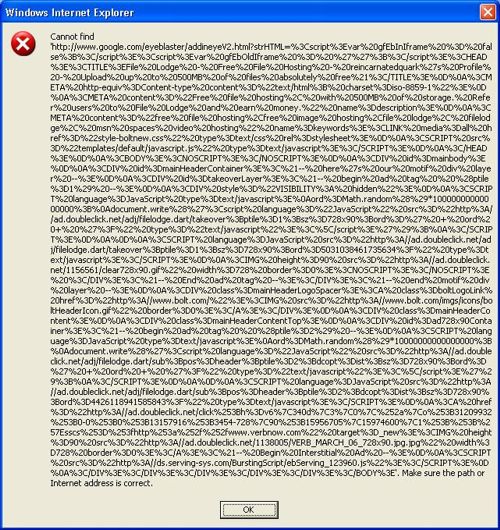

Solution 1:
First off, you should check your code to make sure that you’re not the one causing the errors message.
So check your code with code analysis tools like JSlint, console2 (a firefox addon ) or Google’s Closure inspector.

Solution 2:
If possible you could also wrap your error prone code in try or catch blocks.
Try and Catch works as follow.

Sends an error message to the browser and further Javascript from executing.

1
2
var obj = [];
obj[0] = globalVar;    //ERROR!

Send the error message to the catch block and let’s the developer decide what to do.

1
2
3
4
5
6
7
try{
    var obj = [];
    obj[0] = globalVar;
}
catch( err ){
    alert( "Error Message: " + err.message ); //You should log the error instead of alert it.
}

Solution 3:
For a page that requires javascript, you can load that page with a iframe. With a iframe or frame, even if your main page halts due to an error, your javascript in your iframe will continue to run.

1
2
3
<iframe src="javascript_page.html" width="100%" height="30">
  <p>Your browser does not support iframes.</p>
</iframe>

For something else that might help, check out ADSAFE (protection against 3rd party scripts).

References:
MDN Doc Center: Error
Stackoverflow : Is it possible to “sandbox” arbitrary JavaScript to only operate on one div and not the whole document?

Larry Battle

Larry Battle

I love to program, and discover new tech. Check out my <a href="http://stackoverflow.com/users/527776/larry-battle">stackoverflow</a> and <a href="https://github.com/LarryBattle">github</a> accounts.

More Posts - Website

Follow Me:Add me on XAdd me on LinkedInAdd me on YouTube

Javascript Standard Deviation, Variance, Average functions.


Warning: WP_Syntax::substituteToken(): Argument #1 ($match) must be passed by reference, value given in /home/bateeqjg/public_html/news/wp-content/plugins/wp-syntax/wp-syntax.php on line 380

Warning: WP_Syntax::substituteToken(): Argument #1 ($match) must be passed by reference, value given in /home/bateeqjg/public_html/news/wp-content/plugins/wp-syntax/wp-syntax.php on line 380

Warning: WP_Syntax::substituteToken(): Argument #1 ($match) must be passed by reference, value given in /home/bateeqjg/public_html/news/wp-content/plugins/wp-syntax/wp-syntax.php on line 380

Warning: Undefined array key "layout" in /home/bateeqjg/public_html/news/wp-content/plugins/wp-about-author/wp-about-author.php on line 94

Hey everyone,
I just installed WP-Syntax for the WordPress and I want to test it out by posting javascript code for finding Standard Deviation, Variance, Average among numbers.

Without WP-Syntax

var str = 'This is a string.';
console.log( str ); //Boring!

With WP-Syntax

var str = 'hello world. Here I am!';
console.log( str ); //Nice colors!!

Without more delay, here are the Statistics functions.

Code

1
2
3
4
5
6
7
8
9
10
11
12
13
14
15
16
17
18
19
20
21
22
23
24
25
26
27
28
29
30
31
32
33
34
35
36
// Programmer: Larry Battle 
// Date: Mar 06, 2011
// Purpose: Calculate standard deviation, variance, and average among an array of numbers.
var isArray = function (obj) {
	return Object.prototype.toString.call(obj) === "[object Array]";
},
getNumWithSetDec = function( num, numOfDec ){
	var pow10s = Math.pow( 10, numOfDec || 0 );
	return ( numOfDec ) ? Math.round( pow10s * num ) / pow10s : num;
},
getAverageFromNumArr = function( numArr, numOfDec ){
	if( !isArray( numArr ) ){ return false;	}
	var i = numArr.length, 
		sum = 0;
	while( i-- ){
		sum += numArr[ i ];
	}
	return getNumWithSetDec( (sum / numArr.length ), numOfDec );
},
getVariance = function( numArr, numOfDec ){
	if( !isArray(numArr) ){ return false; }
	var avg = getAverageFromNumArr( numArr, numOfDec ), 
		i = numArr.length,
		v = 0;
 
	while( i-- ){
		v += Math.pow( (numArr[ i ] - avg), 2 );
	}
	v /= numArr.length;
	return getNumWithSetDec( v, numOfDec );
},
getStandardDeviation = function( numArr, numOfDec ){
	if( !isArray(numArr) ){ return false; }
	var stdDev = Math.sqrt( getVariance( numArr, numOfDec ) );
	return getNumWithSetDec( stdDev, numOfDec );
};

Usage

Testing with numbers from wiki

1
2
3
4
5
6
var arrOfNums = [ 2,4,4,4,5,5,7,9 ],
	precision = 4;
 
getAverageFromNumArr( arrOfNums, precision );	//returns 5
getVariance( arrOfNums, precision );	// returns 4
getStandardDeviation( arrOfNums, precision ); //returns 2

Enjoy! 🙂
Update
For those wanting more statistical functions, use jStat : a JavaScript statistical library. by John Resig.

jStat is a statistical library written in JavaScript that allows you to perform advanced statistical operations without the need of a dedicated statistical language (i.e. MATLAB or R).

Update 2
Please read this for more information “http://easycalculation.com/statistics/learn-standard-deviation.php”

Larry Battle

Larry Battle

I love to program, and discover new tech. Check out my <a href="http://stackoverflow.com/users/527776/larry-battle">stackoverflow</a> and <a href="https://github.com/LarryBattle">github</a> accounts.

More Posts - Website

Follow Me:Add me on XAdd me on LinkedInAdd me on YouTube

Find data faster.

Stop wasting time and automate repetitive task. Automation increases your productivity and lessens your work load. Here are some few methods to do so.

Photo by: Nathan Eal Photography

Launching Programs :

The first improvement you can make is to use the keyboard over the mouse. Operating a mouse requires more concentration and time than hitting a keyboard shortcut and typing in the name of the program.
The easiest way is to use “Launchy”, a open source keystroke launcher. With Launchy, to open up a program like Firefox, you hit “alt” + “space” to bring up Launchy, then you type in “fox” and it auto completes for your and enter.
– Jump Directory ( Make a folder within side start menu for quick access to essential tools)
Shortcuts

Finding Files

Everything, (super fast searching).
Spacemonger or WinDirStat (data storage visualization)
Q-dir or xplorer2 (dual file manager)

Automation

Autoit (Windows OS Task automation)
Chickenfoot (firefox plugin for web automation)

More time saving tips

Regular Expression Tools: (Searching Through Text)
Poweroff ( schedule your computer to power off after events )
In conclusion, there are dozens of programs and other techniques that you can learn to save time. To take this a step forward, I suggest reading The Productive Programmer by Neal Ford.

Larry Battle

Larry Battle

I love to program, and discover new tech. Check out my <a href="http://stackoverflow.com/users/527776/larry-battle">stackoverflow</a> and <a href="https://github.com/LarryBattle">github</a> accounts.

More Posts - Website

Follow Me:Add me on XAdd me on LinkedInAdd me on YouTube