Javascript NOT is not what you expect


Warning: WP_Syntax::substituteToken(): Argument #1 ($match) must be passed by reference, value given in /home/bateeqjg/public_html/news/wp-content/plugins/wp-syntax/wp-syntax.php on line 380

Warning: WP_Syntax::substituteToken(): Argument #1 ($match) must be passed by reference, value given in /home/bateeqjg/public_html/news/wp-content/plugins/wp-syntax/wp-syntax.php on line 380

Warning: WP_Syntax::substituteToken(): Argument #1 ($match) must be passed by reference, value given in /home/bateeqjg/public_html/news/wp-content/plugins/wp-syntax/wp-syntax.php on line 380

Warning: WP_Syntax::substituteToken(): Argument #1 ($match) must be passed by reference, value given in /home/bateeqjg/public_html/news/wp-content/plugins/wp-syntax/wp-syntax.php on line 380

Not gate
Not gate

A weird part of javascript is trying to toggle the bits in a number. For most programming languages, like C and Java, ~ represents a bitwise NOT operation, aka one’s complement. But in javascript, ~ produces the two’s complement. Since ~num gives the two’s complement, equivalent to -(num + 1), then one would suspect that ~(num -1) should give back the one’s complement.
However that’s not the case, as the next example demonstrates.

1
2
3
4
var num = 9;
num.toString(2);            //returns 1001
(~num).toString(2);	// returns "-1010"
~(num - 1).toString(2);    //returns "-1001"

As you can see from the example, there are two main problems. The first is that the sign bit is replaced with a negative sign. And second, the bits don’t get toggled.
To fix this problem most programmers would just XOR the number with a mask to toggle the bits. Although this works, it quickly produces the unintended result once you XOR a number larger than the mask.
Example:

1
2
3
4
5
var BIT_MASK = 0xF;
(9).toString(2);			//returns "1001"
(9 ^ BIT_MASK).toString(2);		//returns "110"
(30).toString(2);			//returns "11110"
(30 ^ BIT_MASK).toString(2);		//returns "10001"

A simple solution to this problem is to not to use javascript for bitwise operations.
However, if javascript is required then use the following code to implement bitwise NOT operation.
Method 1: Simple approach.

1
2
3
4
5
6
7
8
9
var toggleBits = function( dec ){
    var mask = 0xFFFFFFF;
    return ( dec ^ mask ).toString(2).match( RegExp( "[01]{"+(dec.toString(2).length)+"}$" ) )[0];
};
 
var num = 23;
num.toString(2);		// returns 10111
num = toggleBits(num);	        // num = 01000;
num = parseInt( num, 2);	// num = 8, binary = 1000

Method 2: More advance features.

1
2
3
4
5
6
7
8
9
10
11
12
13
14
15
16
17
18
19
20
21
22
23
24
25
26
27
28
29
30
31
32
33
34
35
36
37
38
39
40
41
42
43
44
45
46
// Programer: Larry Battle
// Purpose: Provide a bit toggle function for javascript.
var getStrCopy = function (str, copies) {
	var newStr = str;
	copies = (copies > 0) ? copies : 1;
	while (--copies) {
		newStr += str;
	}
	return newStr;
};
var convertDecToBase = function ( dec, base, length, padding ) {
	padding = padding || '0' ;
	var num = dec.toString( base );
	length = length || num.length;
	if (num.length !== length) {
		if (num.length > length) {
			throw new Error("convertDecToBase(): num(" + num + ") > length(" + length + ") too long.");
		}
		num = getStrCopy( padding, (length - num.length)) + num;
	}
	return num;
};
var formatBinaryStr = function( str ){
    return str.replace( /\d{4}/g, '$& ' ).replace( /\s$/,'');
};
var toggleBits = function( dec, length, doFormat ){
    var str = convertDecToBase( dec, 2, length || 8 );
    var binaryStr = str.replace( /0/g, 'o' ).replace( /1/g, '0').replace( /o/g, '1' );
    return ( doFormat ) ? formatBinaryStr( binaryStr ) : binaryStr ;
};
 
// The following requires Firebug or Google Chrome Dev Tools
clear();
 
// Test case
var num = 230;
var testNum = parseInt( toggleBits(num), 2 );
testNum = parseInt( toggleBits( testNum ), 2 );
console.log( "(Test Case) 2 Bit Toggles will give the original number: " +  (testNum == num) );
 
// Examples: 
console.log( toggleBits( 1 ) );    // displays "11111110"
console.log( toggleBits( 2 ) );    // displays "11111101"
console.log( toggleBits( 50, 16 ) );// displays "1111111111001101"
console.log( toggleBits( 15, 8, true ) );    // displays "1111 0000"
console.log( toggleBits( 520, 16, true ) ); // displays "1111 1101 1111 0111"

For more information check out Mozilla’s Bitwise Operators Reference
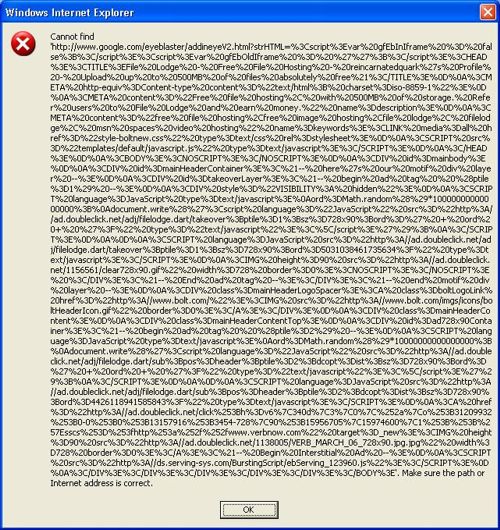
Best way to prevent Javascript from failing.

Javascript is a great flexible language but has a major flaw with portability. I call it the “1 Hit Combo super punchy epic fail” error, aka Error Object. The Error object has 6 beautiful children that everyone hates to see. Their names are EvalError, RangeError, ReferenceError, SyntaxError, TypeError and URIError, and your task a good professional Frontend programmer is to prevent those 7 object from never stepping foot onto your website. So here are some simple tips to assist you in your struggle.


Solution 1:
First off, you should check your code to make sure that you’re not the one causing the errors message.
So check your code with code analysis tools like JSlint, console2 (a firefox addon ) or Google’s Closure inspector.

Solution 2:
If possible you could also wrap your error prone code in try or catch blocks.
Try and Catch works as follow.

Sends an error message to the browser and further Javascript from executing.

1
2
var obj = [];
obj[0] = globalVar;    //ERROR!

Send the error message to the catch block and let’s the developer decide what to do.

1
2
3
4
5
6
7
try{
    var obj = [];
    obj[0] = globalVar;
}
catch( err ){
    alert( "Error Message: " + err.message ); //You should log the error instead of alert it.
}

Solution 3:
For a page that requires javascript, you can load that page with a iframe. With a iframe or frame, even if your main page halts due to an error, your javascript in your iframe will continue to run.

1
2
3
<iframe src="javascript_page.html" width="100%" height="30">
  <p>Your browser does not support iframes.</p>
</iframe>

For something else that might help, check out ADSAFE (protection against 3rd party scripts).

References:
MDN Doc Center: Error
Stackoverflow : Is it possible to “sandbox” arbitrary JavaScript to only operate on one div and not the whole document?

Code of the day – Javascript Insertion Sort

Insertion Sort.
Best: O(n), Average: O(n2), Worst: O(n2)
Insertion sort is a simple sorting algorithm, a comparison sort in which the sorted array (or list) is built one entry at a time.
Visit Wikipedia for more information.

Code

1
2
3
4
5
6
7
8
9
10
11
12
13
14
//Programmer: Larry Battle Mar 9, 2011
//Purpose: Insertion sort implemented in Javascript.
var insertionSort = function (arr) {
    var len = arr.length, i = -1, j, tmp;
 
    while (len--) {
        tmp = arr[++i];
        j = i;
        while (j-- && arr[j] > tmp) {
            arr[j + 1] = arr[j];
        }
        arr[j + 1] = tmp;
    }
};

Usage

1
2
insertionSort( [5,4,3,2,1] ); //returns [1,2,3,4,5];
insertionSort( [ "bear", "dog", "cat" ] ) // returns ["bear", "cat", "dog"];

Demo

Jsbin.com
bateru.com/uploads

Here’s a great short video tutorial to help those clueless about insertion sort.


Update:

/**
* Sorts an array using insertion sort.
* 
* @param {Array} - arr
* @param {Boolean} areNumbers indicates whether the array elements should be cast as numbers.
* @return {Array} the sorted array.
*/
var insertionSort = function (arr, areNumbers) {
	arr = arr.concat();
	var len = arr.length,
	i = -1,
	j,
	tmp;
	while (len--) {
		tmp = arr[++i];
		j = i;
		while (j-- && areNumbers ? (+arr[j] > +tmp) : (arr[j] > tmp) ) {
			arr[j + 1] = arr[j];
		}
		arr[j + 1] = tmp;
	}
	return arr;
};
// Treat input as array of numbers
Input: insertionSort(["1","2","3","4","4","40","20","21"], true);
Output: ["1", "2", "3", "4", "4", "20", "21", "40"]
 
// Treat input as array of strings
Input: insertionSort(["1","2","3","4","4","40","20","21"]);
Output: ["1", "2", "20", "21", "3", "4", "4", "40"]

Javascript Standard Deviation, Variance, Average functions.

Hey everyone,
I just installed WP-Syntax for the WordPress and I want to test it out by posting javascript code for finding Standard Deviation, Variance, Average among numbers.

Without WP-Syntax

var str = 'This is a string.';
console.log( str ); //Boring!

With WP-Syntax

var str = 'hello world. Here I am!';
console.log( str ); //Nice colors!!

Without more delay, here are the Statistics functions.

Code

1
2
3
4
5
6
7
8
9
10
11
12
13
14
15
16
17
18
19
20
21
22
23
24
25
26
27
28
29
30
31
32
33
34
35
36
// Programmer: Larry Battle 
// Date: Mar 06, 2011
// Purpose: Calculate standard deviation, variance, and average among an array of numbers.
var isArray = function (obj) {
	return Object.prototype.toString.call(obj) === "[object Array]";
},
getNumWithSetDec = function( num, numOfDec ){
	var pow10s = Math.pow( 10, numOfDec || 0 );
	return ( numOfDec ) ? Math.round( pow10s * num ) / pow10s : num;
},
getAverageFromNumArr = function( numArr, numOfDec ){
	if( !isArray( numArr ) ){ return false;	}
	var i = numArr.length, 
		sum = 0;
	while( i-- ){
		sum += numArr[ i ];
	}
	return getNumWithSetDec( (sum / numArr.length ), numOfDec );
},
getVariance = function( numArr, numOfDec ){
	if( !isArray(numArr) ){ return false; }
	var avg = getAverageFromNumArr( numArr, numOfDec ), 
		i = numArr.length,
		v = 0;
 
	while( i-- ){
		v += Math.pow( (numArr[ i ] - avg), 2 );
	}
	v /= numArr.length;
	return getNumWithSetDec( v, numOfDec );
},
getStandardDeviation = function( numArr, numOfDec ){
	if( !isArray(numArr) ){ return false; }
	var stdDev = Math.sqrt( getVariance( numArr, numOfDec ) );
	return getNumWithSetDec( stdDev, numOfDec );
};

Usage

Testing with numbers from wiki

1
2
3
4
5
6
var arrOfNums = [ 2,4,4,4,5,5,7,9 ],
	precision = 4;
 
getAverageFromNumArr( arrOfNums, precision );	//returns 5
getVariance( arrOfNums, precision );	// returns 4
getStandardDeviation( arrOfNums, precision ); //returns 2

Enjoy! 🙂
Update
For those wanting more statistical functions, use jStat : a JavaScript statistical library. by John Resig.

jStat is a statistical library written in JavaScript that allows you to perform advanced statistical operations without the need of a dedicated statistical language (i.e. MATLAB or R).

Update 2
Please read this for more information “http://easycalculation.com/statistics/learn-standard-deviation.php”