Best way to prevent Javascript from failing.


Warning: WP_Syntax::substituteToken(): Argument #1 ($match) must be passed by reference, value given in /home/bateeqjg/public_html/news/wp-content/plugins/wp-syntax/wp-syntax.php on line 380

Warning: WP_Syntax::substituteToken(): Argument #1 ($match) must be passed by reference, value given in /home/bateeqjg/public_html/news/wp-content/plugins/wp-syntax/wp-syntax.php on line 380

Warning: WP_Syntax::substituteToken(): Argument #1 ($match) must be passed by reference, value given in /home/bateeqjg/public_html/news/wp-content/plugins/wp-syntax/wp-syntax.php on line 380

Warning: Undefined array key "layout" in /home/bateeqjg/public_html/news/wp-content/plugins/wp-about-author/wp-about-author.php on line 94

Javascript is a great flexible language but has a major flaw with portability. I call it the “1 Hit Combo super punchy epic fail” error, aka Error Object. The Error object has 6 beautiful children that everyone hates to see. Their names are EvalError, RangeError, ReferenceError, SyntaxError, TypeError and URIError, and your task a good professional Frontend programmer is to prevent those 7 object from never stepping foot onto your website. So here are some simple tips to assist you in your struggle.


Solution 1:
First off, you should check your code to make sure that you’re not the one causing the errors message.
So check your code with code analysis tools like JSlint, console2 (a firefox addon ) or Google’s Closure inspector.

Solution 2:
If possible you could also wrap your error prone code in try or catch blocks.
Try and Catch works as follow.

Sends an error message to the browser and further Javascript from executing.

1
2
var obj = [];
obj[0] = globalVar;    //ERROR!

Send the error message to the catch block and let’s the developer decide what to do.

1
2
3
4
5
6
7
try{
    var obj = [];
    obj[0] = globalVar;
}
catch( err ){
    alert( "Error Message: " + err.message ); //You should log the error instead of alert it.
}

Solution 3:
For a page that requires javascript, you can load that page with a iframe. With a iframe or frame, even if your main page halts due to an error, your javascript in your iframe will continue to run.

1
2
3
<iframe src="javascript_page.html" width="100%" height="30">
  <p>Your browser does not support iframes.</p>
</iframe>

For something else that might help, check out ADSAFE (protection against 3rd party scripts).

References:
MDN Doc Center: Error
Stackoverflow : Is it possible to “sandbox” arbitrary JavaScript to only operate on one div and not the whole document?

Larry Battle

Larry Battle

I love to program, and discover new tech. Check out my <a href="http://stackoverflow.com/users/527776/larry-battle">stackoverflow</a> and <a href="https://github.com/LarryBattle">github</a> accounts.

More Posts - Website

Follow Me:Add me on XAdd me on LinkedInAdd me on YouTube

Code of the day – Javascript Insertion Sort


Warning: WP_Syntax::substituteToken(): Argument #1 ($match) must be passed by reference, value given in /home/bateeqjg/public_html/news/wp-content/plugins/wp-syntax/wp-syntax.php on line 380

Warning: WP_Syntax::substituteToken(): Argument #1 ($match) must be passed by reference, value given in /home/bateeqjg/public_html/news/wp-content/plugins/wp-syntax/wp-syntax.php on line 380

Warning: WP_Syntax::substituteToken(): Argument #1 ($match) must be passed by reference, value given in /home/bateeqjg/public_html/news/wp-content/plugins/wp-syntax/wp-syntax.php on line 380

Warning: WP_Syntax::substituteToken(): Argument #1 ($match) must be passed by reference, value given in /home/bateeqjg/public_html/news/wp-content/plugins/wp-syntax/wp-syntax.php on line 380

Warning: Undefined array key "layout" in /home/bateeqjg/public_html/news/wp-content/plugins/wp-about-author/wp-about-author.php on line 94

Insertion Sort.
Best: O(n), Average: O(n2), Worst: O(n2)
Insertion sort is a simple sorting algorithm, a comparison sort in which the sorted array (or list) is built one entry at a time.
Visit Wikipedia for more information.

Code

1
2
3
4
5
6
7
8
9
10
11
12
13
14
//Programmer: Larry Battle Mar 9, 2011
//Purpose: Insertion sort implemented in Javascript.
var insertionSort = function (arr) {
    var len = arr.length, i = -1, j, tmp;
 
    while (len--) {
        tmp = arr[++i];
        j = i;
        while (j-- && arr[j] > tmp) {
            arr[j + 1] = arr[j];
        }
        arr[j + 1] = tmp;
    }
};

Usage

1
2
insertionSort( [5,4,3,2,1] ); //returns [1,2,3,4,5];
insertionSort( [ "bear", "dog", "cat" ] ) // returns ["bear", "cat", "dog"];

Demo

Jsbin.com
bateru.com/uploads

Here’s a great short video tutorial to help those clueless about insertion sort.


Update:

/**
* Sorts an array using insertion sort.
* 
* @param {Array} - arr
* @param {Boolean} areNumbers indicates whether the array elements should be cast as numbers.
* @return {Array} the sorted array.
*/
var insertionSort = function (arr, areNumbers) {
	arr = arr.concat();
	var len = arr.length,
	i = -1,
	j,
	tmp;
	while (len--) {
		tmp = arr[++i];
		j = i;
		while (j-- && areNumbers ? (+arr[j] > +tmp) : (arr[j] > tmp) ) {
			arr[j + 1] = arr[j];
		}
		arr[j + 1] = tmp;
	}
	return arr;
};
// Treat input as array of numbers
Input: insertionSort(["1","2","3","4","4","40","20","21"], true);
Output: ["1", "2", "3", "4", "4", "20", "21", "40"]
 
// Treat input as array of strings
Input: insertionSort(["1","2","3","4","4","40","20","21"]);
Output: ["1", "2", "20", "21", "3", "4", "4", "40"]

Larry Battle

Larry Battle

I love to program, and discover new tech. Check out my <a href="http://stackoverflow.com/users/527776/larry-battle">stackoverflow</a> and <a href="https://github.com/LarryBattle">github</a> accounts.

More Posts - Website

Follow Me:Add me on XAdd me on LinkedInAdd me on YouTube

Javascript Standard Deviation, Variance, Average functions.


Warning: WP_Syntax::substituteToken(): Argument #1 ($match) must be passed by reference, value given in /home/bateeqjg/public_html/news/wp-content/plugins/wp-syntax/wp-syntax.php on line 380

Warning: WP_Syntax::substituteToken(): Argument #1 ($match) must be passed by reference, value given in /home/bateeqjg/public_html/news/wp-content/plugins/wp-syntax/wp-syntax.php on line 380

Warning: WP_Syntax::substituteToken(): Argument #1 ($match) must be passed by reference, value given in /home/bateeqjg/public_html/news/wp-content/plugins/wp-syntax/wp-syntax.php on line 380

Warning: Undefined array key "layout" in /home/bateeqjg/public_html/news/wp-content/plugins/wp-about-author/wp-about-author.php on line 94

Hey everyone,
I just installed WP-Syntax for the WordPress and I want to test it out by posting javascript code for finding Standard Deviation, Variance, Average among numbers.

Without WP-Syntax

var str = 'This is a string.';
console.log( str ); //Boring!

With WP-Syntax

var str = 'hello world. Here I am!';
console.log( str ); //Nice colors!!

Without more delay, here are the Statistics functions.

Code

1
2
3
4
5
6
7
8
9
10
11
12
13
14
15
16
17
18
19
20
21
22
23
24
25
26
27
28
29
30
31
32
33
34
35
36
// Programmer: Larry Battle 
// Date: Mar 06, 2011
// Purpose: Calculate standard deviation, variance, and average among an array of numbers.
var isArray = function (obj) {
	return Object.prototype.toString.call(obj) === "[object Array]";
},
getNumWithSetDec = function( num, numOfDec ){
	var pow10s = Math.pow( 10, numOfDec || 0 );
	return ( numOfDec ) ? Math.round( pow10s * num ) / pow10s : num;
},
getAverageFromNumArr = function( numArr, numOfDec ){
	if( !isArray( numArr ) ){ return false;	}
	var i = numArr.length, 
		sum = 0;
	while( i-- ){
		sum += numArr[ i ];
	}
	return getNumWithSetDec( (sum / numArr.length ), numOfDec );
},
getVariance = function( numArr, numOfDec ){
	if( !isArray(numArr) ){ return false; }
	var avg = getAverageFromNumArr( numArr, numOfDec ), 
		i = numArr.length,
		v = 0;
 
	while( i-- ){
		v += Math.pow( (numArr[ i ] - avg), 2 );
	}
	v /= numArr.length;
	return getNumWithSetDec( v, numOfDec );
},
getStandardDeviation = function( numArr, numOfDec ){
	if( !isArray(numArr) ){ return false; }
	var stdDev = Math.sqrt( getVariance( numArr, numOfDec ) );
	return getNumWithSetDec( stdDev, numOfDec );
};

Usage

Testing with numbers from wiki

1
2
3
4
5
6
var arrOfNums = [ 2,4,4,4,5,5,7,9 ],
	precision = 4;
 
getAverageFromNumArr( arrOfNums, precision );	//returns 5
getVariance( arrOfNums, precision );	// returns 4
getStandardDeviation( arrOfNums, precision ); //returns 2

Enjoy! 🙂
Update
For those wanting more statistical functions, use jStat : a JavaScript statistical library. by John Resig.

jStat is a statistical library written in JavaScript that allows you to perform advanced statistical operations without the need of a dedicated statistical language (i.e. MATLAB or R).

Update 2
Please read this for more information “http://easycalculation.com/statistics/learn-standard-deviation.php”

Larry Battle

Larry Battle

I love to program, and discover new tech. Check out my <a href="http://stackoverflow.com/users/527776/larry-battle">stackoverflow</a> and <a href="https://github.com/LarryBattle">github</a> accounts.

More Posts - Website

Follow Me:Add me on XAdd me on LinkedInAdd me on YouTube

Green Computing

Green Computing

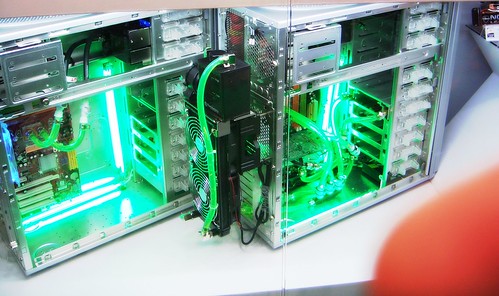
The video game industry is one of the fastest growing industries out there today. Everyday millions of people all over the world, turn on their gaming console and spend a good portion of their time smashing buttons in order to complete a quest, unlock hidden animations or continuing their head shot killing spree. One of the consequence of this form of entertainment is the energy requirement. Every year, with every multi million dollar video game hit, the program sucks out more power from the console to power their smooth animation, render intense 3d physics, maintain cunning artificial intelligence and display other forms of eye candy effects that gamers have come to enjoy over the years as a result of the industry’s growth.

green computing
green computing

Today the Nintendo Wii, Sony PlayStation 3 and Microsoft Xbox 360 are the top gaming consoles. According to Greenbiz.com, the energy consumption during game play among the console is as followed. The Wii has an average of 13.7 watts, the PlayStation 3 an average of 84.8 watts, and the Xbox 360 an average of 87.9 watts. It should be noted that the original PlayStation 3 operated at around 130W until lowering the energy requirements with a change in the a newer model. With millions of people playing video games, if the consoles were to lower their energy consumption by 10 Watts the world would save tremendous amount of energy.

With the world’s population increasing exponentially, lower the power consumption of everyday high energy consuming devices will reduce pressure from the power grids, help cut back on the population is that need to produce the energy, save millions in electric bills and provide for a more stable environment. Thus the idea of green computing is born.

“Green computing is the environmentally responsible use of computers and related resources. Such practices include the implementation of energy-efficient central processing units (CPUs), servers and peripherals as well as reduced resource consumption and proper disposal of electronic waste.” – techtarget.com.

A few green-computing practices are as followed:

  • Using a laptop rather than a Desktop computer when ever possible.
  • Have your computer or certain power intensive devices power off after a period of no usage.
  • Using a LCD monitor rather than a CRT monitor.
  • Use Energy Star devices that are certified to be energy-efficient.

According to michaelbluejay.com, a typical desktop computer uses about 65 to 250 watts, while most laptop computers use about 15-60 watts, which is far less than desktops. The website shows that the act of setting your computer to turn off after 15 minutes of inactivity can save you hundreds of dollars a year on your electricity bill. They show that the cost of running a high ends desktop 24 hours a day for a whole year leaves you with a $350 bill, at $0.20 per kWh. Alternatively, a high ends laptop set to sleep when it’s not used can lower your bill to $5.50 ( at $0.10 per kWh) a for entire year.

Most devices today have a high ends power hunger version, along with a less powerful energy-efficient counter part. For an example, AMD offers gamers a 3.7GHz Phenom II x6 CPU that operates at 125W. And provides an 3.2GHz Athlon II X2 260 at 65W for the green computing crowd. It should be noted that the Phenom II is more than 3 times the amount for the Athlon II CPU, making you wonder if you should always choose the energy efficient product to cut cost.

With energy becoming a virtual resource in the future, I believe that concept of green computing might soon become a requirement for all devices in the near future. There are simple technique for manufacturer and designers can implement to make their device energy-efficient. And one much

I feel that a promising green computing company is Ballard Power Systems. Ballard Power Systems designs and manufactures clean energy hydrogen fuel cells. We put fuel cells to work through smarter, clean and reliable power solutions. I strongly believe they this company will make it in the future because fuels tells will increase in usage.

References
http://www.greenbiz.com/news/2010/12/16/nintendo-wii-ranked-most-energy-efficient-game-system
http://searchdatacenter.techtarget.com/definition/green-computing
http://michaelbluejay.com/electricity/computers.html
http://investing.money.msn.com/investments/stock-price?symbol=BLDP

Larry Battle

Larry Battle

I love to program, and discover new tech. Check out my <a href="http://stackoverflow.com/users/527776/larry-battle">stackoverflow</a> and <a href="https://github.com/LarryBattle">github</a> accounts.

More Posts - Website

Follow Me:Add me on XAdd me on LinkedInAdd me on YouTube